
Activity map
- Added
- Updated
What this gives you: an honest answer to "where do people actually go?" — usually not where you expect, which makes it very good at showing you which parts of your map are dead.
Player positions are sampled on a timer and added up per grid square. The result is the heat map.
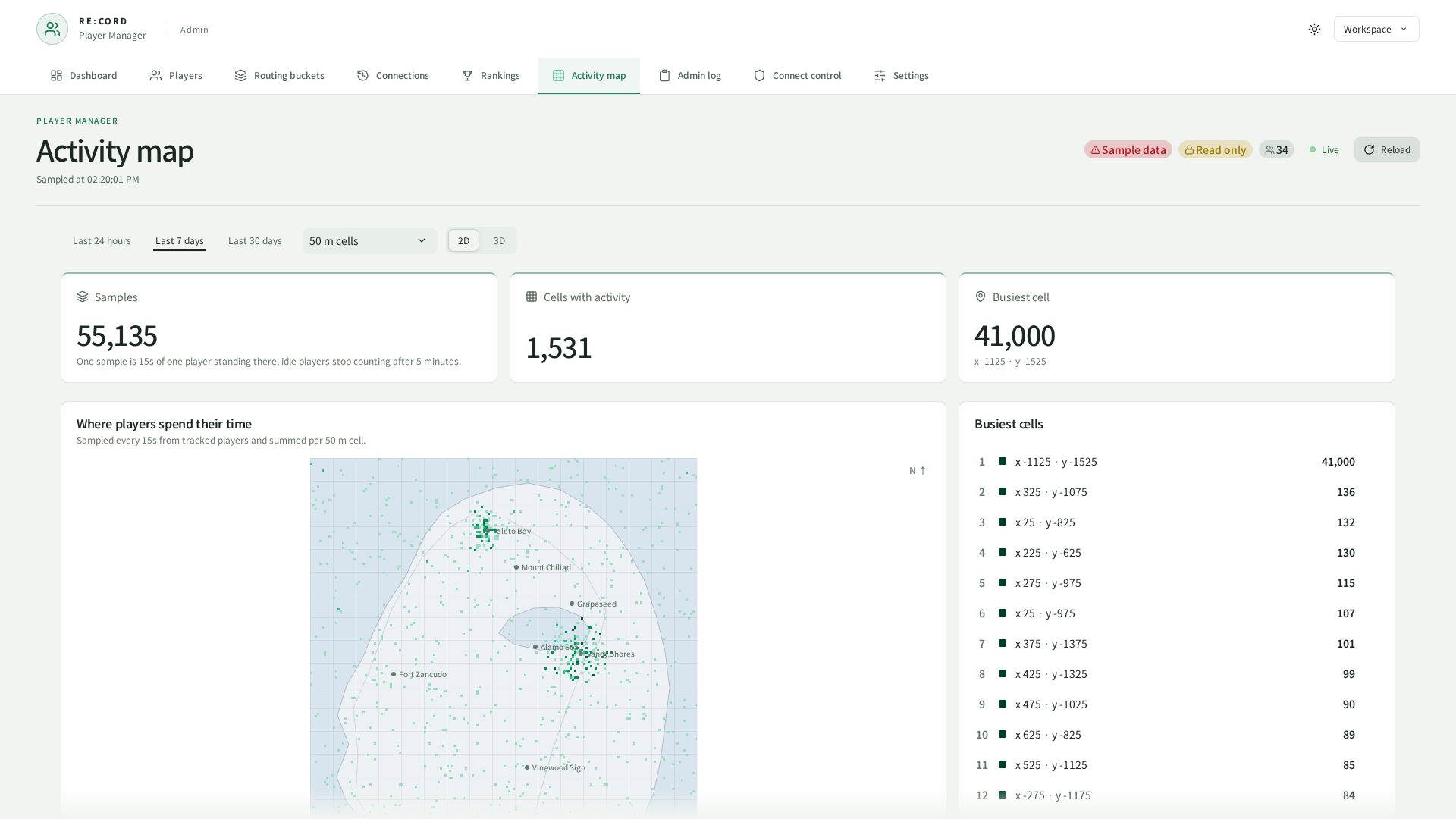
One sample means one player stood there for heatmap.sampleInterval seconds, so that setting is also how finely the map measures time. Nothing extra is asked of the game to build it — the positions are the ones already being tracked.
Two settings stop the map lying to you. Somebody who has not moved for heatmap.idleSamples samples in a row stops counting, otherwise one player idling overnight would own the entire colour scale. And with heatmap.onlyDefaultBucket on, instanced content stays off the public map. All of those are on the Settings page.
What stays in the config file is the geometry — the world rectangle the grid covers, and the rectangle an optional map image covers — because changing either re-buckets every row already stored:
config.heatmap = {

    ---@type { minX: number, minY: number, maxX: number, maxY: number }
    worldBounds = {
        minX = -4000,
        minY = -4000,
        maxX = 4500,
        maxY = 8000,
    },

    ---@type { minX: number, minY: number, maxX: number, maxY: number }|nil
    mapImage = nil,
}
heatmap.cellSize or worldBounds makes old data and new data disagree about where things are. The map notices, stops itself, and tells you why in the console. Put the values back, or empty rec_playermanager_heatmap and start fresh.The map underneath
By default the heat sits on a hand-drawn coastline. No real game map ships with the resource — that imagery belongs to Rockstar.
To use a real map render on your own server:
Drop the image in
Put your file at web/map/map.webp (.jpg and .png also work).
Restart the resource
That is how the screen picks the file up.
Line it up
If your image does not cover exactly worldBounds (x -4000..4500, y -4000..8000), put the area it does cover into config.heatmap.mapImage and nudge the numbers until the landmarks sit where they should.
The image lives outside the build folder, so rebuilding never deletes it. If it cannot be read, the built-in coastline quietly comes back.
3D
The 2D / 3D toggle switches to a rotatable 3D view, loaded only for whoever opens it. Taller columns mean busier spots. Drag to rotate, wheel to zoom, right-drag to pan. On a machine that cannot handle it the tab disables itself and the flat map stays.
There is no terrain height — that data would have to come out of the game files, which is Rockstar's to distribute.
Images show the current UI captured in a browser using sample data.