
Admin UI
- Added
- Updated
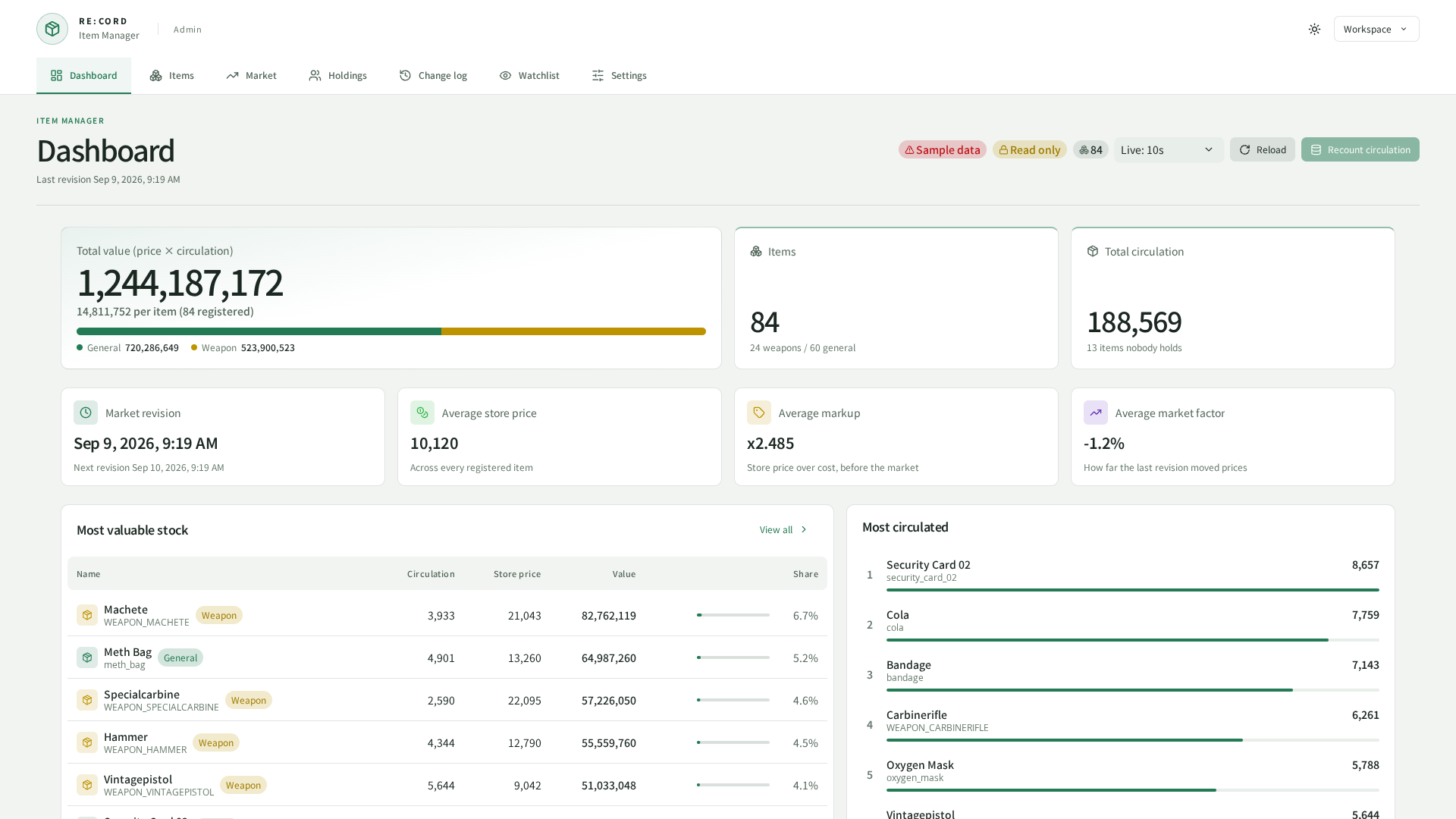
Captured from the current UI in a browser using sample data.
What this gives you: the screen where all of the above actually happens.
There are two ways in. Both show the same thing.
| In-game (NUI) | Browser | |
|---|---|---|
| How to open | /itemmanager | http://<host>:30120/REC_ItemManager/ |
| Who gets in | A grant | An access token |
| Out of the box | On | Off |
| Setup needed | None | See below |
/itemmanager is all you need, skip the browser section entirely.Seven pages share one sidebar.
| Page | What you use it for |
|---|---|
| Dashboard | The overall picture — totals, what all those items are worth, how far prices have drifted |
| Items | The list. Edit prices, pin an item, or select a whole batch and change them together |
| Market | When prices were last reviewed, when the next one lands, what it did |
| Holdings | Look up a character and see what they are carrying |
| Change log | Everything that changed, newest first |
| Watchlist | The characters being sampled, and what they gained |
| Settings | Everything this page tells you to set |
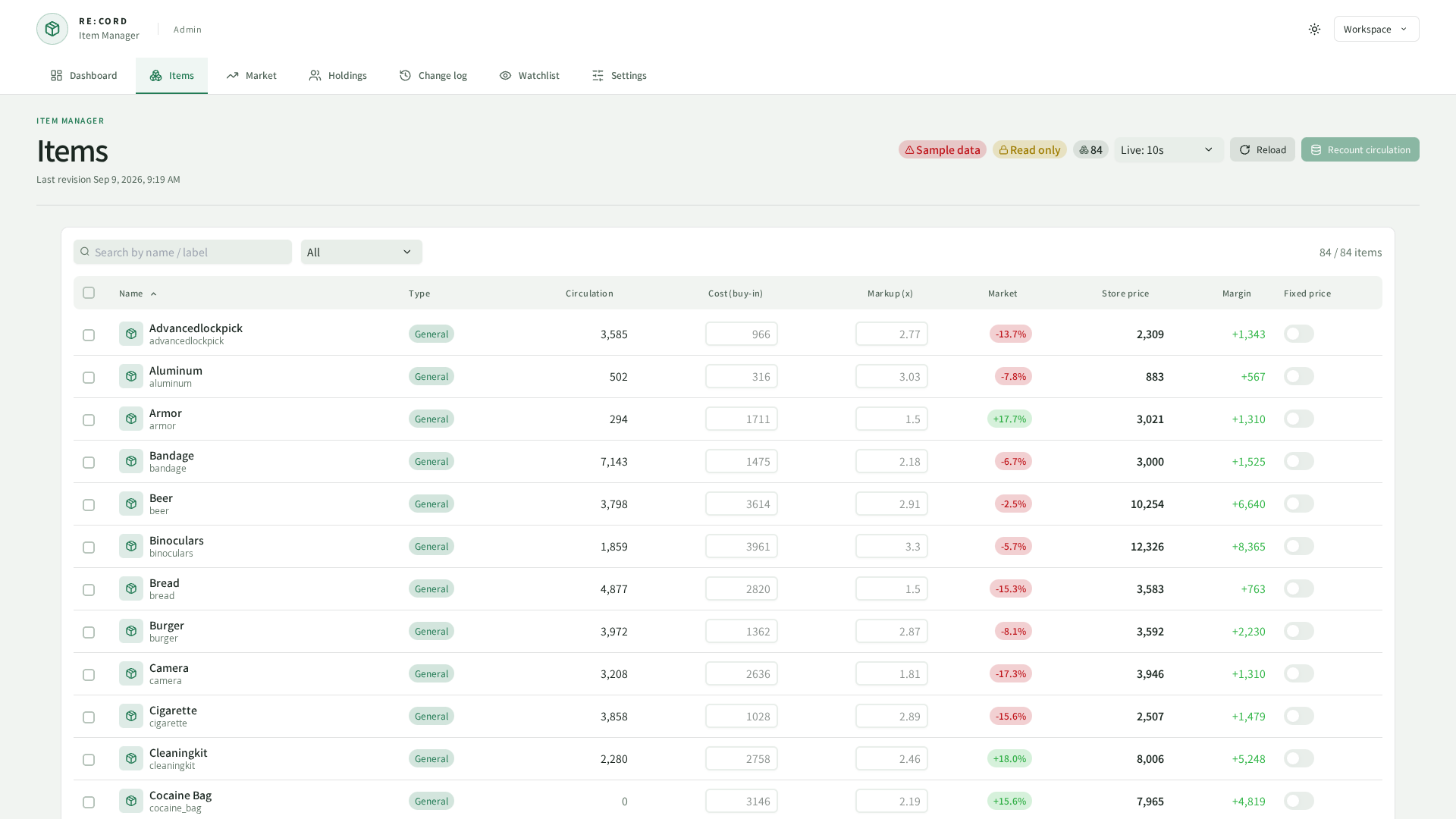
Recount circulation counts every item on the server again. Only characters who logged in within the last targetPlayerLastLoginDays days are counted, so people who quit months ago do not distort the numbers.
Settings
What this gives you: one place that is the truth, instead of a file and a database row that can disagree.
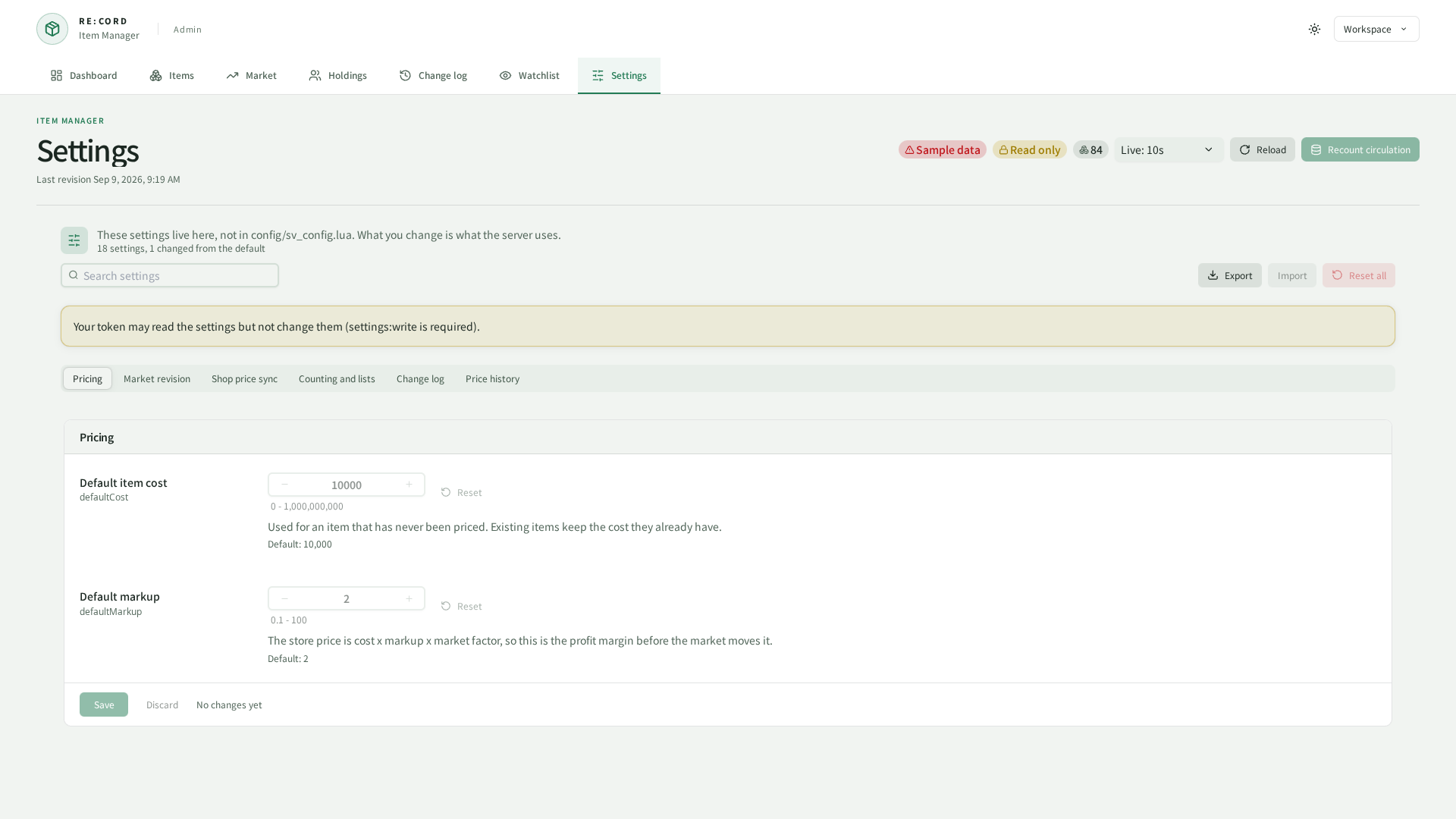
Pricing defaults, the market review, retention and the watchlist are declared by the resource and changed here. What the page shows is what the server is running.
| Risky | Asked about before it is written, because it stops something being recorded or deletes rows that cannot be brought back |
| Needs a restart | Read once at boot, so the running server keeps the old value until you restart the resource |
| Default | Printed under every setting, and one click puts it back |
| Export / Import | The whole set as a file, so a test server and a live one can be made to match |
rec_config_overrides, a table that ships with REC_Library and is shared by every RE : CORD panel. Import it once from the REC_Library page. Without it the panel still works, but what you change is forgotten on the next restart.Who gets in
What this gives you: the read-only moderator you used to build out of two ACE lists, now in one entry.
Access is granted per area, and this resource has five: items, market, logs, watchlist and settings. Each one splits into :read and :write, so items:read opens the list while items:write is what edits a price.
config.web = webConfig:build(config.debugMode, {

    ---@type REC_Library.Server.Class.Web.WebConfig.Grant[]
    grants = {
        { ace = "moderator", scopes = { "read", }, },
        { job = "police", ranks = { [3] = true, [4] = true, }, onDutyOnly = true, scopes = { "items:read", }, label = "police", },
    },
})
"read" is every area's read half, a bare area ("items") is both halves of that one, and "*" is everything. The first entry above is the old "in aceGroups but not in editorAceGroups" moderator: they see the list, the inputs are greyed out, and the server turns the change down even if they get past that.
REC_Library already grants the admin ACE full access, and your entries are added on top of that list rather than replacing it, so narrowing a grant here can never lock an admin out. Every entry that matches contributes its scopes, and somebody matching two of them gets the union. There is no deny form — to take something away, stop granting it. Naming an ace and a job in one entry means the player needs both.
Over the browser route the same areas are carried by the token instead, so a token can be read-only in exactly the same way.
Batch edits and holdings
Two limits worth knowing about, both on the Settings page:
bulk.limit(500) — the most items one batch edit may touch at onceholderList.limit(200) — the longest holder list the panel will draw. Search and filtering happen before this limit, so you are not searching a truncated list, but pushing it far past a few hundred makes the page sluggish
Item images
Leave config.web.http.images empty and the item pictures are found for you (ox_inventory → ox_inventory/web/images). Only fill it in if you keep your images somewhere unusual.