
Usage
- Added
- Updated
- Configure vehicle models and spawn points in
vehicles, delivery points indeliveries, and broker NPCs inlocations. - Take a job from the broker, obtain the assigned vehicle, and deliver it.
- A vehicle can be named on delivery. Skipping the name or timing out uses the model label.
- Open
/preppanelto inspect active jobs, stored vehicles, and settings.
Garages and stored vehicles
Garages are created and edited in the admin panel and saved in rec_heistprep_garage_configs. Players buy a physical garage unit at its kiosk and drive a preparation vehicle through the entrance into the interior to store it. Ownership is recorded separately in rec_heistprep_garages.
Stored vehicles are individual records with a UID, model, plate, label and saved condition. getPreparedVehicles returns counts per model; getStoredVehicles returns individual entries. requestVehicleSelection opens a picker. requestAndSpawnVehicle combines selection and spawning and consumes the stored record only when spawning succeeds.
Spawn points support job and permanent modes. The panel saves each choice in rec_heistprep_spawn_modes.
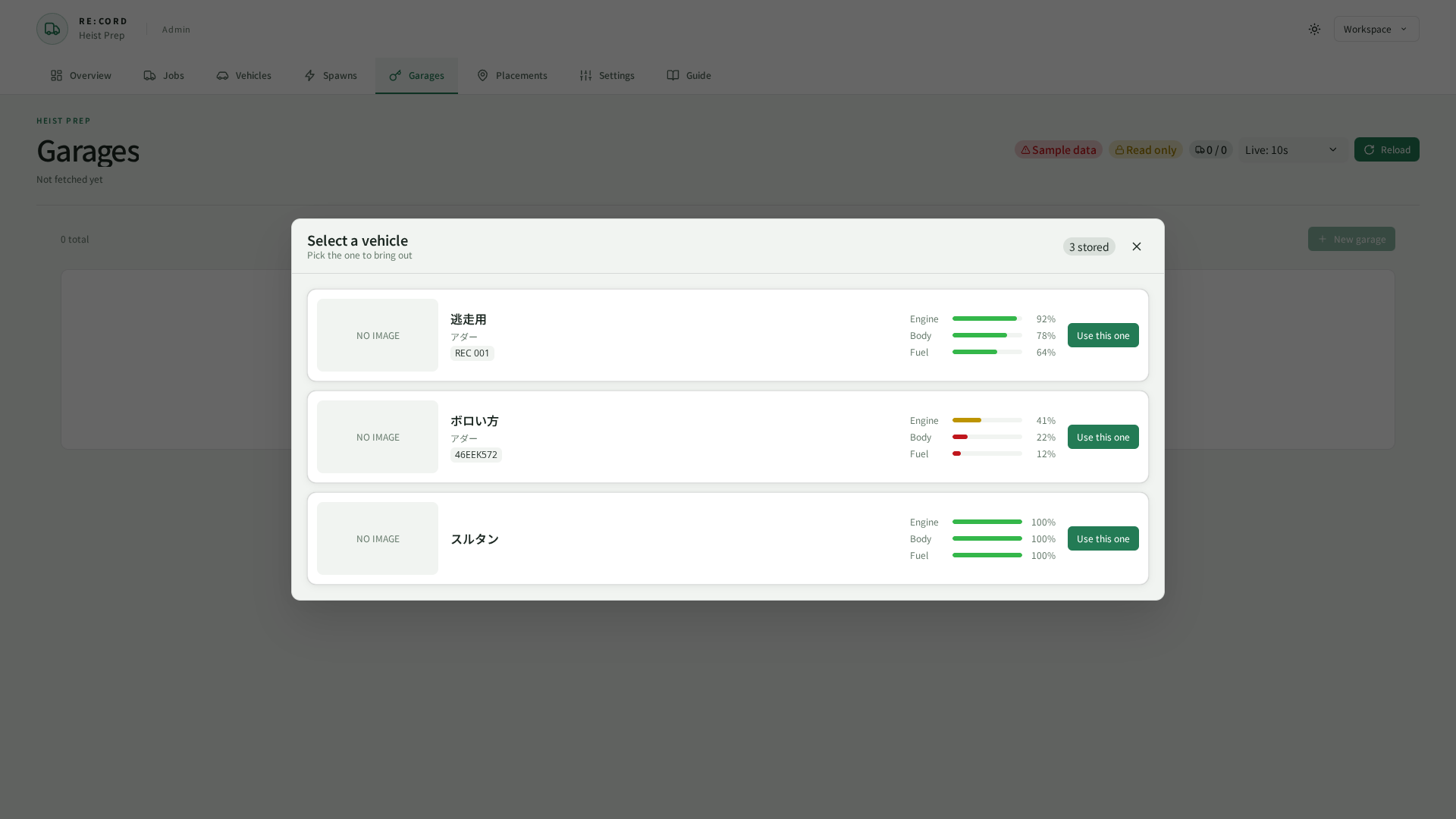
Captured from the current UI in a browser using sample data.