
Usage
- Added
- Updated
Open display settings with /hud or the default I key. Use /layout to drag the HUD elements, and /cinematic to toggle cinematic mode. The command names and key binding are configurable in config.ui.command and config.ui.settingsKeybind.
The HUD includes status gauges, vehicle instruments, aircraft instruments, a clock, server ID, logo, seatbelt indicator and minimap controls. Player preferences are saved locally and take precedence over server defaults.
Register custom gauges with registerGauge. A gauge with a source reads its value from that source; otherwise update it with setGaugeValue. Remove it with unregisterGauge when the owning resource stops. Notifications are provided by REC_Notify.
Copy personal settings as server defaults
Grant the administrator the ACE configured by config.settingsExportAce (default: rec_hud.exportSettings). The settings panel then offers Copy current settings as defaults.
add_ace group.admin rec_hud.exportSettings allow
Copy the exported JSON into config/ui_defaults.json and restart REC_Hud. It includes display preferences, element positions and minimap settings. Players with saved preferences must reset them to use the new defaults.
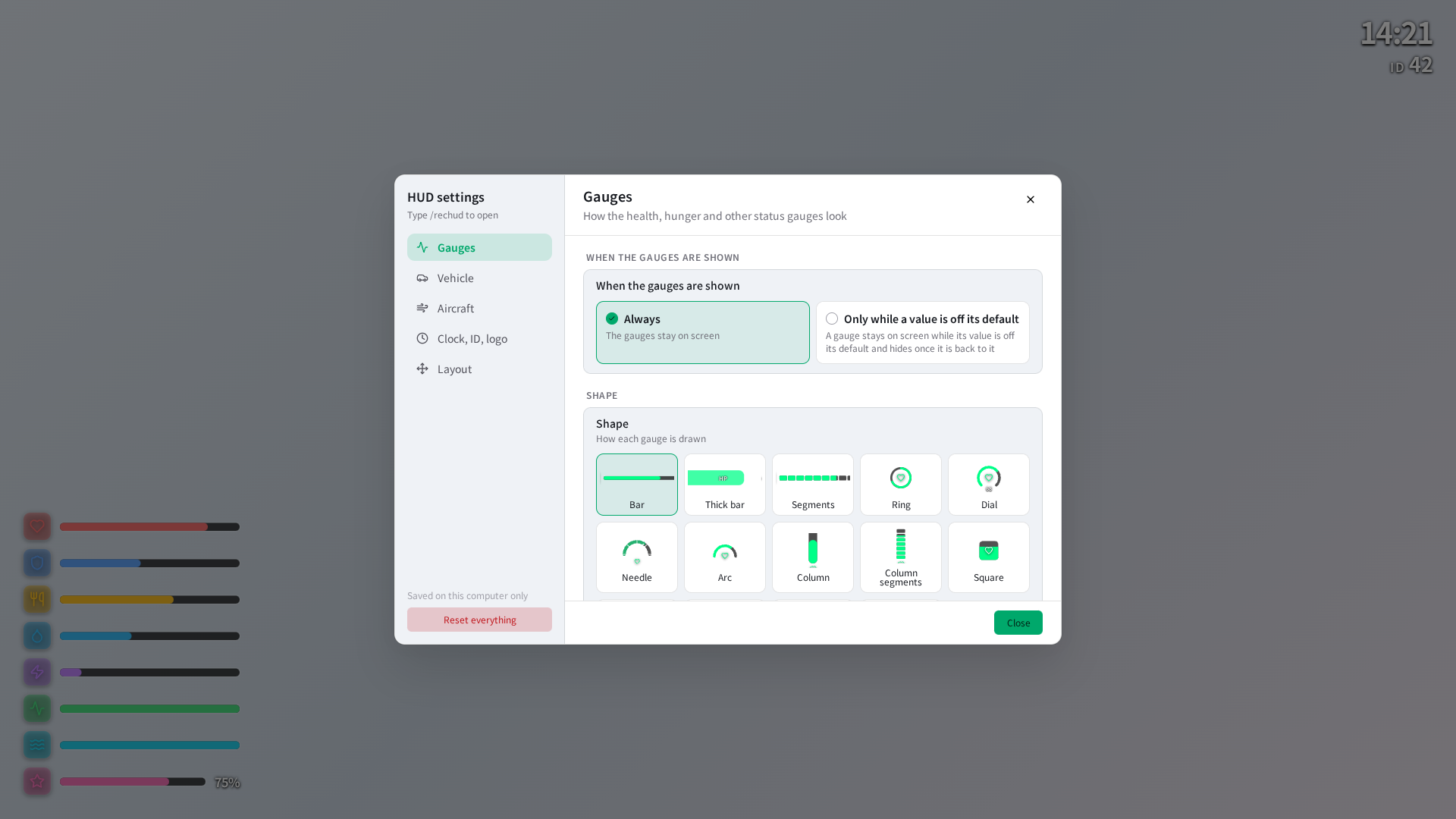
Captured from the current UI in a browser using sample data.
Hiding the HUD from another resource
setVisible(false) hides the HUD and radar and closes/blocks settings and layout editors. Restore it with setVisible(true).
Player name and compass are also configurable and movable. Configure scripts using legacy HUD events through config/sh_compat.lua.