
Admin UI
- Added
- Updated
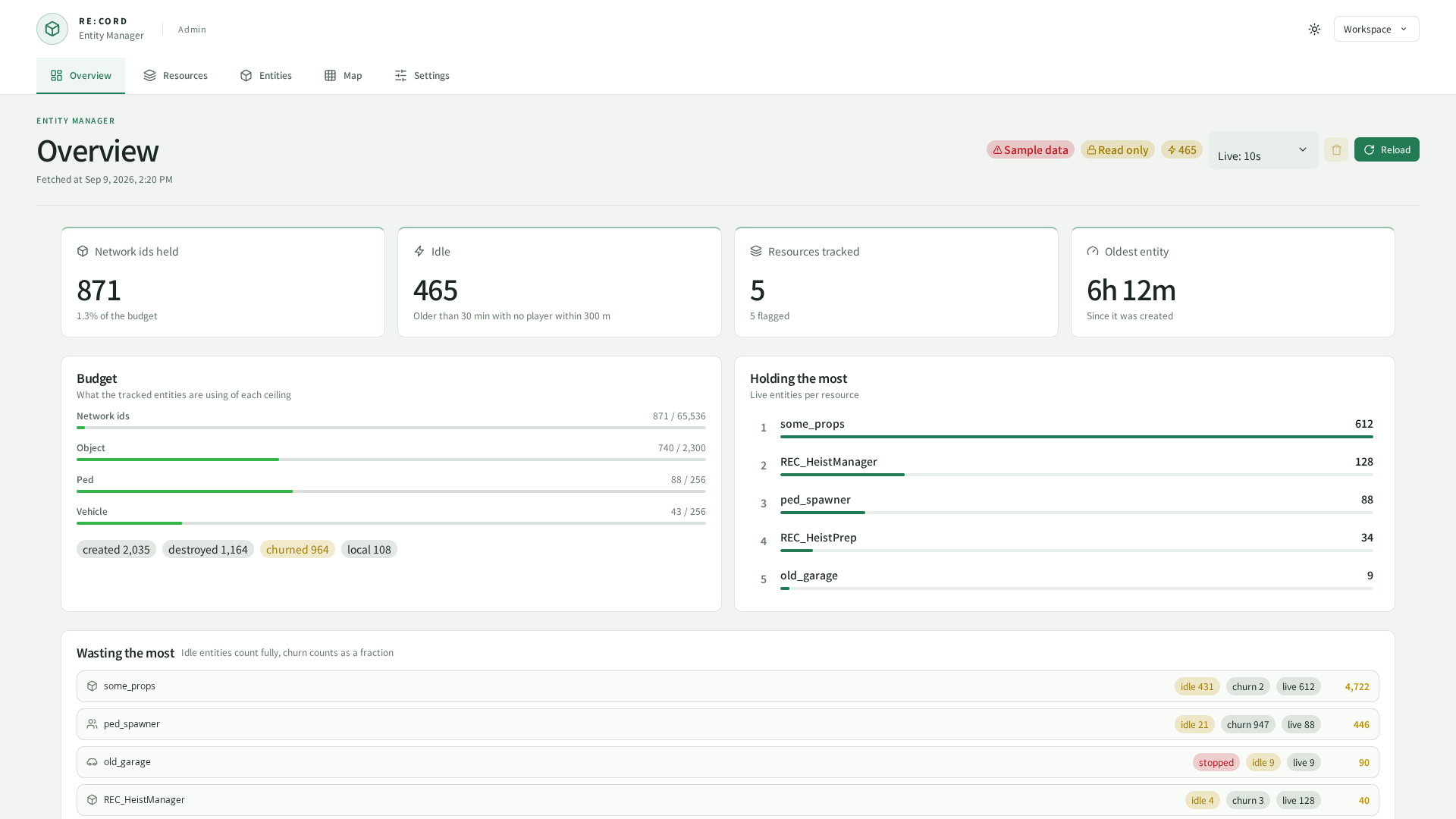
Captured from the current UI in a browser using sample data.
Open /entitymanager in game.
Allow the command.entitymanager ACE and grant the required scopes through config.web.grants or shared REC_Library grants.
Permission areas are entities / heatmap / tracking / performance / settings.
The browser URL is http://<host>:30120/REC_EntityManager/.
Enable config.web.http.enabled, configure allowed addresses, and set a token.
See REC_Library for shared token settings.
set REC_EntityManager:adminToken "REPLACE_WITH_A_RANDOM_TOKEN_OF_AT_LEAST_32_CHARACTERS"
48 characters, generated in your browser. Nothing is sent anywhere.
Replace the placeholder with a generated token. For remote access, protect the connection with a VPN, SSH tunnel, or HTTPS reverse proxy.
Location performance
Open Location performance with performance:read. Filter by period and routing bucket to inspect each cell’s average, peak and P95 frame time, minimum FPS, incidents and nearby player/vehicle/NPC/object counts.
In the 3D terrain view, left-drag orbits, right-drag pans and the wheel zooms. Selecting a bar filters the table. A 2D view is also available. Terrain relief and coordinate registration are approximate; use the table for exact measurements.
These are client-reported, frame-weighted measurements without hardware normalization. P95 uses 1 ms histogram bins; the 1000 ms bin includes values at or above 1000 ms. Entity counts are averages of nearby entities streamed to reporting clients.
config/sh_performance.lua defaults to 100 m cells, reports every 10 seconds, a 33.3 ms incident threshold, 7 days retention and database flushes every minute. Restart after changes.
oxmysql automatically creates rec_entitymanager_performance. Provide CREATE permission on first startup or import sql/performance.sql. This history survives restarts and is not erased by resetting entity counters.
GET /api/performance?hours=24&bucket=0 returns the same data with the same permission requirement.